
Help
Linear duplicate — copy items in a row on your map
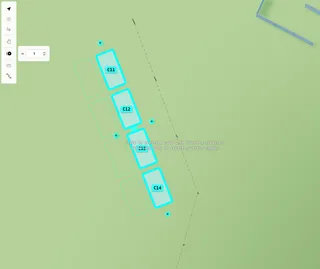
Turn on Linear duplicate, set the gap, then click a + for one copy or drag a + to keep creating copies in a line.
Copy selected items in a straight line. Set the gap in metres, then click a + for one copy or drag a + to keep creating more.
Turn on Linear duplicate, set the gap, then click a + for one copy or drag a + to keep creating copies in a line.