Event signage and sponsor billboards on the planning map
Place sponsor boards and wayfinding signs — image, scale, and camera-facing options.

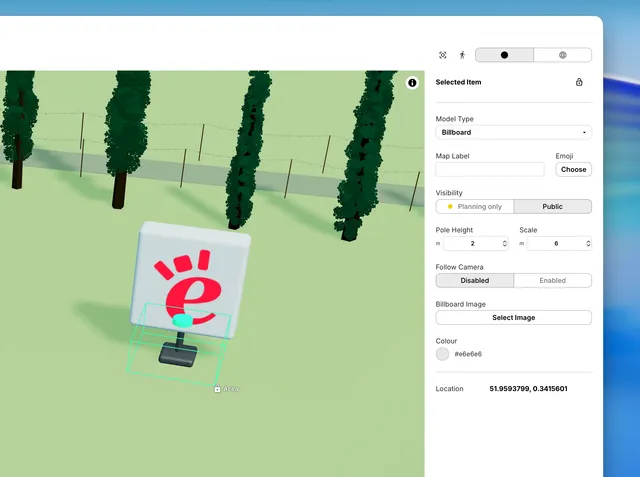
Billboards show sponsor boards, welcome signs, or stage branding on your site plan.
1. Place a billboard
Open the Asset Library. Under Signs and labels, choose Billboard, then click on the map.
2. Choose an image
Under Billboard Image, click Select Image or Change Image. Pick artwork from your event, sponsors, or performers.
3. Size and orientation
- Pole Height — post height (m)
- Scale — board size, longest edge (m)
- Follow Camera — Enabled keeps the board facing the viewer on the public map; Disabled keeps a fixed direction
Drag to move. Alt+drag to rotate when Follow Camera is disabled. Alt+C/V to copy.